Logos & labels
Logos are always placed in a fixed position. A maximum of two logos may be used on a banner.
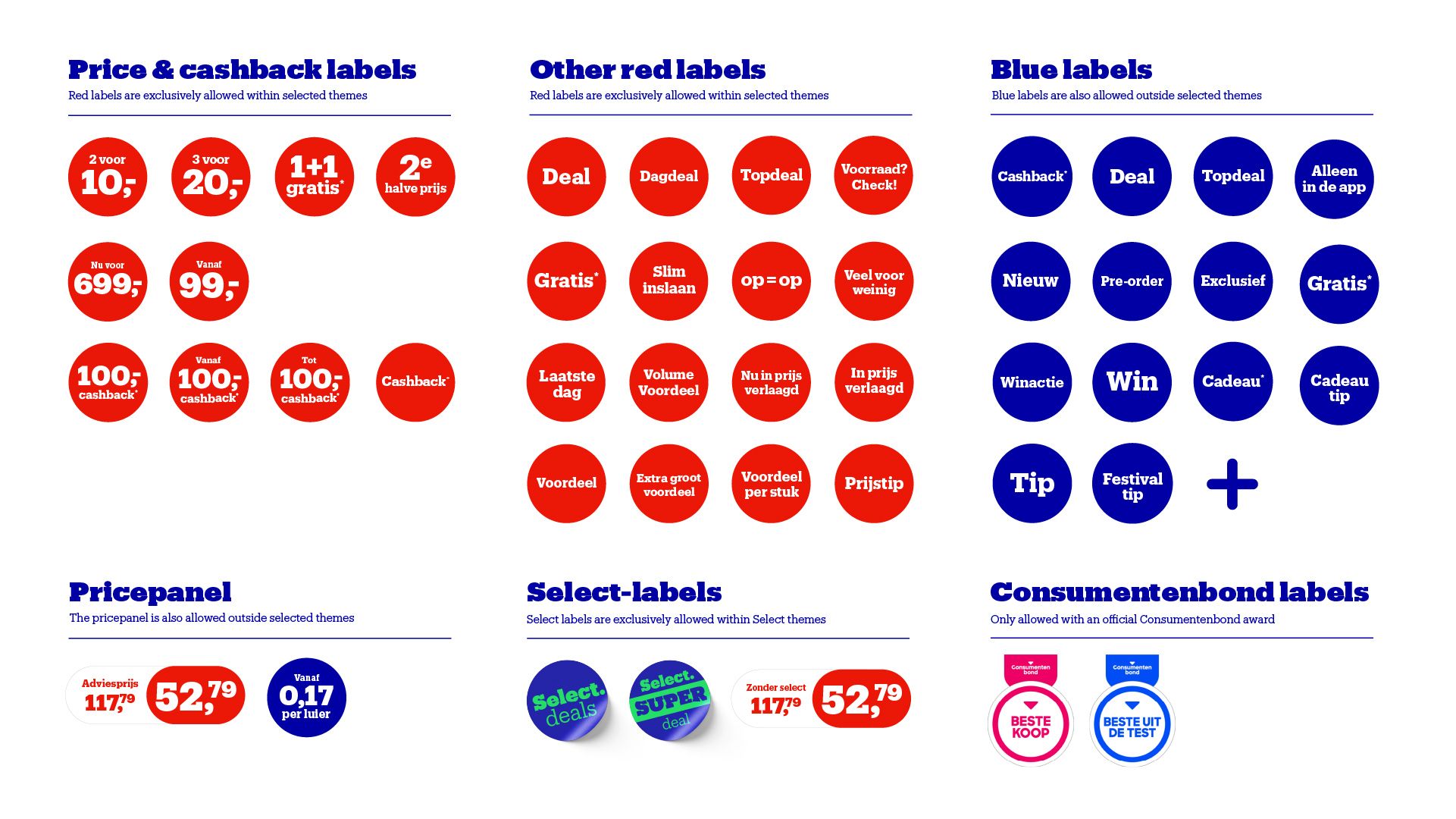
The following logos and labels are always allowed:
- Official product and/or brand logos.
- Labels from the official bol visual identity.
Labels can be used to communicate a special offer or campaign message. We distinguish between two types:
Red labels
Only allowed during bol promotion or theme periods, such as the bol 7-daagse, Sale Solden, and Black Friday. Red labels are used to convey a strong commercial message, such as discounts and cashback offers.
- For campaigns where red labels are allowed, a fixed design is applied consistently across bol.
- On regular banners, red labels are not permitted.
Blue labels
Blue labels are used to reinforce the message of a campaign, such as highlighting a launch or prize draw.
- Blue labels may be used throughout the year.
- Price-off or brand claims are not permitted on blue labels.
Note: Certification marks, seals of approval, and rating labels are only allowed if they come from the Consumentenbond.
Price Panels
Price panels are used to display a previous price (recommended retail price) alongside a now price.
- Price panels may be used throughout the year.
- Only price-related information, such as a previous/now price or a price per item, may be included in the price panel. If multiple products are displayed, a price example must always be provided.
- Prices must be agreed upon in advance with the designated contact person and included in the briefing.
- All price information must comply with applicable laws and regulations and accurately reflect the actual offer.
Note: Price panels are intended to highlight price advantages and must not be used for other commercial messages, such as brand claims, product features, or promotional giveaways.